 Qazi Forex Tips
MT5 desktop version mein koi aisa indicator hai ke agar 4 chart open kiye hon to kisi aik chart par marking ki jaye to automatically sab par ho jaye?

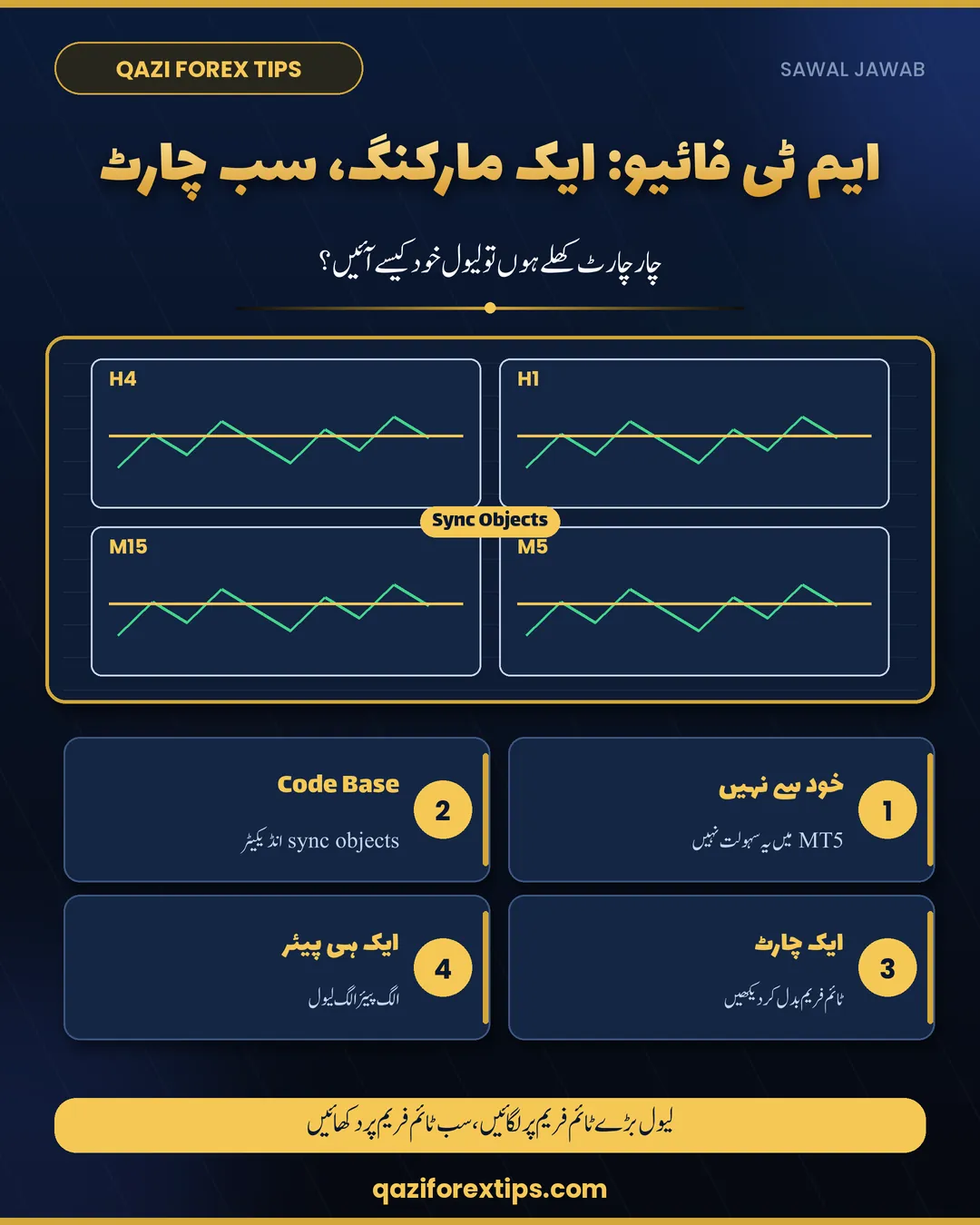
ایک چارٹ کی مارکنگ سب چارٹس پر
جی بھائی، MT5 میں یہ سہولت خود سے نہیں، یعنی ایک چارٹ کی لائن دوسرے چارٹ پر اپنے آپ نہیں آتی۔
1۔ اس کے لیے MQL5 ویب سائٹ کے Code Base میں "sync objects" سرچ کریں، وہاں فری انڈیکیٹر مل جاتے ہیں۔ ہر چارٹ پر وہی انڈیکیٹر لگانا ہوتا ہے، پھر ایک پر کی گئی مارکنگ باقی پر آ جاتی ہے۔
2۔ آسان طریقہ: چار الگ ونڈوز کی بجائے ایک ہی چارٹ پر ٹائم فریم بدل کر دیکھیں۔ لائن کی پراپرٹی میں سب ٹائم فریم آن ہوں تو وہ ہر ٹائم فریم پر نظر آتی رہے گی۔
3۔ یہ صرف ایک ہی پیئر کے چارٹس کے لیے ہے، الگ پیئرز پر لیول الگ ہی لگتے ہیں۔
Why MT5 does not do it by itself
In MetaTrader 5 every chart window keeps its own list of objects (lines, rectangles, Fibonacci). Drawing a support line on the H4 window does not touch the H1 window, even for the same symbol. For the differences between the two platforms, see MT4 vs MT5.
Method 1: a free "sync objects" indicator
- Open the MQL5 website, go to Code Base and search for sync objects or sync drawings. Read the description and comments, and prefer tools with recent updates.
- Download the file and install it in MT5 (File > Open Data Folder > MQL5 > Indicators), then restart or refresh the Navigator.
- Attach the same indicator to every chart window of that pair. A line drawn on one window is then copied to the others.
Only install indicators from sources you trust, and test them on a demo account first. Help with installing indicators is in installing a custom indicator in MT5.
Method 2: one chart, switch timeframes
Instead of four windows, keep one chart per pair and switch between H4, H1, M15 and M5 with the toolbar. In the properties of each line, under Visualization, keep all timeframes ticked. The level then stays on every timeframe without any extra tool. Mark the level on the higher timeframe first, as explained in support and resistance.
Same pair only
Syncing only makes sense between charts of the same symbol. EURUSD and GBPUSD have different prices, so their levels are drawn separately.
Khulasa (Roman Urdu / Hindi)
- MT5 mein har chart window ki apni drawings hoti hain, khud se sync nahi hoti.
- MQL5 Code Base mein 'sync objects' search karein, har chart par wohi indicator lagayein.
- Asaan tareeqa: aik hi chart par timeframe badlein, line ki properties mein sab timeframes on rakhein.
- Sync sirf aik hi pair ke charts mein hota hai.
Questions
Can MT5 copy drawings between chart windows?
Not by itself. Each chart window keeps its own objects. A sync objects indicator from the MQL5 Code Base can copy them.
How do I show one line on all timeframes in MT5?
Open the line's properties, go to Visualization and keep all timeframes ticked, then switch timeframes on the same chart.
Is a sync objects indicator safe?
Download only from trusted sources such as the MQL5 Code Base, read the comments and test it on a demo account first.
اکثر پوچھے جانے والے سوال
کیا MT5 خود مارکنگ دوسرے چارٹ پر لے جاتا ہے؟
نہیں، ہر چارٹ ونڈو کی اپنی مارکنگ ہوتی ہے۔
سب ٹائم فریم پر ایک لائن کیسے دکھائیں؟
لائن کی پراپرٹی میں سب ٹائم فریم آن رکھیں اور ایک ہی چارٹ پر ٹائم فریم بدلیں۔
Aksar Pooche Jane Wale Sawal (Roman Urdu / Hindi)
MT5 mein drawings sync kaise karein?
Code Base ka sync objects indicator har chart par lagayein.
Bina indicator ke?
Aik chart par timeframe badlein, line ke sab timeframes on rakhein.
Learn more
Have a question of your own, or a chart you want checked? Post it with your reasoning in our free Facebook group.
Join the free groupEducation only, not financial advice. Trading forex, Gold and CFDs carries a high risk of loss. Spreads, leverage and contract sizes differ by broker; check your own broker's specifications.